DKR TapX — Identity, Context & Workflow Platform

Trusted mobile identity.
From access to action.

DKR TapX connects verified identity, physical access and business workflows in your enterprise app. Compatible iOS and Android phones authenticate with DKR Inside devices over NFC, receive the result and site context, and trigger authorized workflows.

Compatible iOS / Android phones · No platform-wallet enrollment for NFC access

Bring telecom and enterprise identity into physical spaces →

An internal innovation team at Chunghwa Telecom

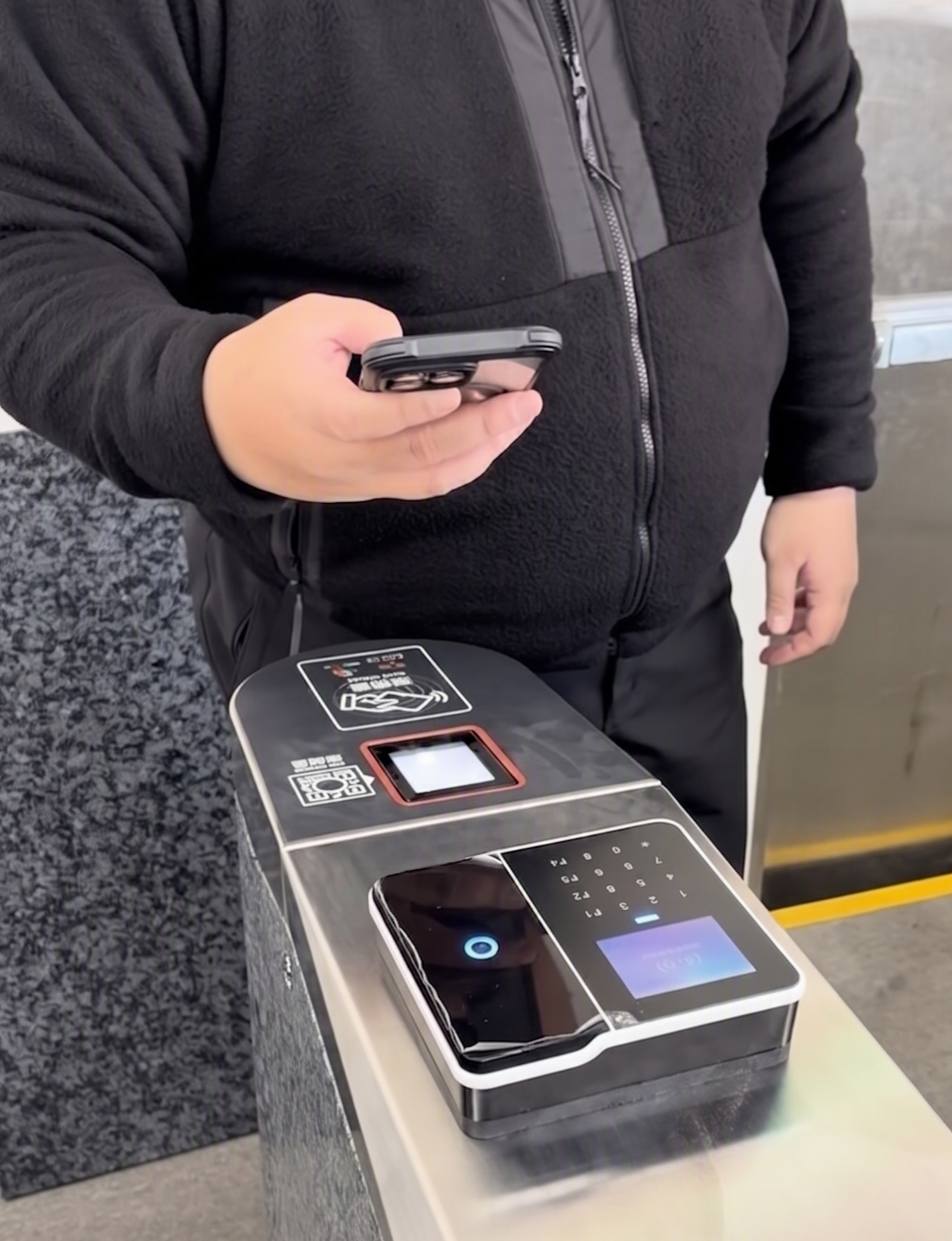
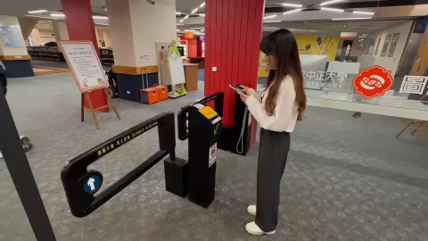
DKR Inside · On-site turnstile interaction
Enterprise app
Authentication data →← Result + site context
DKR Inside / access decision
Same app → Network connection → TapXDevice policies · User interactions · IoT actions

01 / INNOVATION

More than a card on a phone.

DKR combines trusted identity, app-initiated authentication, returned site context and authorized workflows in one connected interaction.

01

Phone-Initiated NFC Authentication

Phone as NFC Reader

The phone sends identity-derived authentication data as an NFC reader. DKR Inside validates it and decides access, without phone-side HCE card emulation.

Use your app on compatible iOS and Android phones.
02

Enterprise-Controlled Credentials

Identity-Anchored Provisioning

Link verified identities to enterprise accounts and permissions. Integrate credential issuance and use into your existing app and business processes.

Control credential issuance without wallet enrollment.
03

Identity and Context, Returned Together

Bidirectional Context Exchange

The same NFC channel returns the authentication result and device site context to the app, linking the verified identity to the interaction point.

Give digital services the context to act.
04

From Authentication to Authorized Action

Policy-Driven Orchestration

The app sends the event to TapX over its network connection. Identity and site policies trigger workflows with linked execution records.

Connect access, device policies and business processes.

02 / SEE IT WORK

See what happens after the tap.

A real demonstration: UA100 door access connected to an MDM camera policy.

60 seconds · English narration / on-screen subtitles · Integrated MDM and managed phone

Video description

The film introduces in-app NFC identity, then shows a phone interacting with a wall-mounted UA100, door access, and an MDM camera restriction. A separate verification sequence releases the policy and restores camera access. It ends with a CHT Tech Day showcase and team-reported deployment figures. This is an edited product demonstration, not a latency benchmark.

  1. 01

    Authenticate at UA100 from the app

  2. 02

    Apply an MDM camera restriction

  3. 03

    Authenticate again to restore camera access

NFC → App → TapX → MDM

Business value: connect access verification and device policy in one workflow, reducing separate manual steps.

One event. Different business actions.

Demonstrated in video

Device policies

Apply camera restrictions through an integrated MDM service.

Project-specific integration

Consent & signing

Present documents and identity-linked confirmation and signing in the same app.

Project-specific integration

Site IoT

Connect authorized interactions to air conditioning or other equipment.

03 / IN THE FIELD

Innovation backed by field adoption.

DKR deployment scale, field applications and public demonstrations. Use of individual TapX integrations varies by project.

Events & media coverage
10K+Devices installed
20K+Cumulative users
5+Major organizations

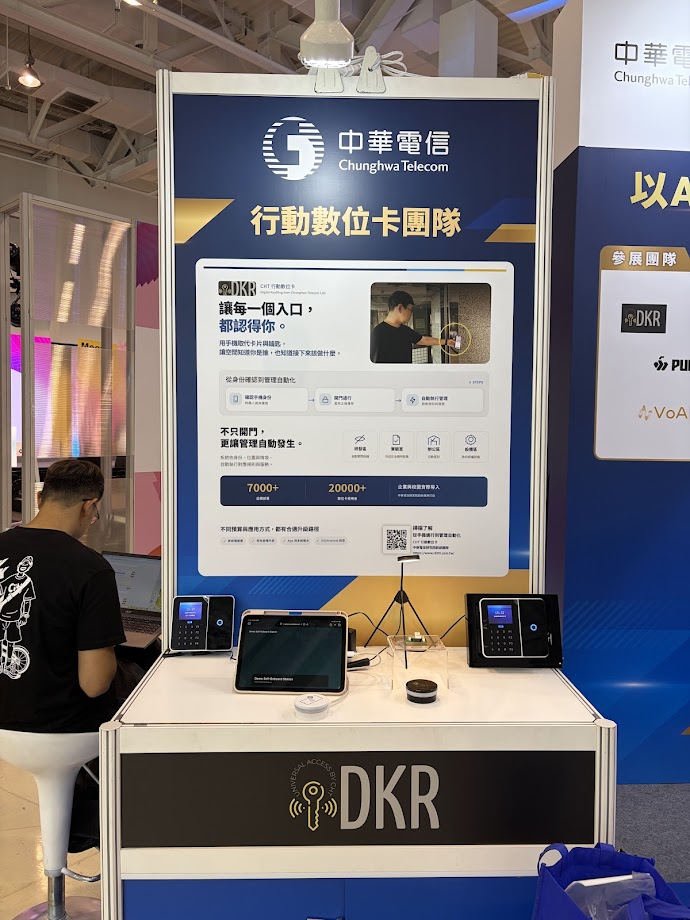
Team-reported DKR totals, not active-user counts or adoption of every TapX integration. Exhibition photos document public showcases.

04 / ADOPTION & TRUST

From trusted identity to the enterprise.

Choose an identity source, verify it, link the enterprise account and permissions, then issue the app credential.

Identity sources & integration scope

Project integration option

Telco SIM authentication

For pre-issuance checks alongside enterprise account binding and authorization. Integration scope is agreed per project.

Project integration option

Enterprise identity providers

Connect IdP / SSO systems to reuse enterprise accounts and lifecycle policies, with integration tailored to the enterprise.

Source-specific assessment

Trusted digital credentials

Evaluate sources such as Taiwan’s Digital Identity Wallet by issuer, credential type and verification interface.

Telecom API scope

Operator foundation: Chunghwa Telecom has publicly announced SIM Swap and Device Status network APIs. Official operator announcement

DKR integration of SIM Swap / Device Status requires separate confirmation. The operator announcement is not evidence of DKR integration or certification.

From verified identity to authorized action

  1. 01Source verification
  2. 02Enterprise account → App credential
  3. 03NFC → Device validation
  4. 04App → TapX policy & records

Apply checks at each boundary. SIM control alone is not proof of a person or access rights. The device validates access; TapX executes authorized workflows.

Standards & interoperability

Access-control links

OSDP

DKR devices use high-security OSDP links with compatible access-control systems.

NFC communication

NFC Forum · ISO/IEC 14443

NFC data exchange uses NFC Forum and ISO/IEC 14443 communication standards.

Authentication & telecom verification

FIDO / WebAuthn · GSMA Open Gateway APIs

User authentication: FIDO / WebAuthn. Telecom verification: Open Gateway APIs.

One use case. A path to broader adoption.

Extend telecom identity into enterprise services through app, device and systems-integration partners.

01

Validate a business use case

Pilot access or MDM integration. Check compatibility and measure issuance effort, policy execution time and manual steps.

02

Integrate through partners

App developers embed credentials; manufacturers integrate DKR Inside; system integrators connect controllers and business services.

03

Expand from proven results

Use pilot results to guide rollout across more sites, enterprise users and TapX workflows.

Which phones and devices are required?

Compatible phones supporting the relevant NFC reader APIs, app enrollment and authorization, and DKR Inside-compatible devices are required. NFC access does not require platform-wallet enrollment. Retaining existing controllers and wiring requires a compatibility assessment.

How are security and compliance assessed?

Review identity binding, credential revocation, device-response validation, and event records for the deployment. Signing workflows require review of documents, consent, and identity evidence. DKR use does not automatically establish compliance or certification. Ask the team for applicable test evidence and scope.

What happens without connectivity?

NFC authentication and TapX cloud workflows are separate stages. Uploads and MDM or IoT execution depend on connectivity and integrated systems; offline policies must be agreed for the deployment. Site context identifies the interaction point, not proof that a person passed through a gate.

What will your first TapX workflow do?

Bring your app, site, or workflow requirements. Let’s define a practical first deployment.

Contact the team about a pilot